For any business with a waiting room or lobby TV
Your lobby TV, working for your business.
Right now that screen plays cable news and other people's commercials. Make it your own channel instead: your offers, your team and your hours, beside business programming that refreshes itself five times a day.
No card needed. Then $49 a month per screen plus a one-time $99 setup, only if you keep it.
- 7 days
- free, with no card
- $49
- a month per screen
- 5 times a day
- the programming refreshes
- 10 minutes
- to set up, by yourself
The TV in your waiting room already has an audience. Who is it working for?
People sit in front of it with nothing else to do. Cable gives that attention to advertisers. A slideshow on a USB stick goes stale the week you make it. This is the third option.
| What matters | Cable or daytime TV | Slideshow on a USB stick | BEJ Executive Network |
|---|---|---|---|
| Shows your offers, staff and hours | No | Yes | Yes |
| Something new to watch every day | Yes | No, the same slides loop | Yes, five refreshes a day |
| Change it from your phone | No | No, you re-export and re-plug | Yes, in seconds |
| Other companies' ads | Yes, possibly your competitors' | None | None on your side of the screen |
| Sets a calm tone in the room | Depends on the news that day | Silent | Calm programming and original music |
| Can pay for itself | No | No | Yes, sell a card and keep 100% |
See the whole thing in one minute.
What the screen is, who it is for, how you set it up and what it costs. No sales call, because you will not need one.
Three steps. About ten minutes.
- 1
Start free
Enter your email and your business name. Your screen exists a minute later. No card.
Watch this step (41 sec) - 2
Make it yours
Add your logo, your hours and up to 12 cards. The preview shows exactly what your TV will.
Watch this step (62 sec) - 3
Open it on your TV
Type your screen's link into the TV's web browser and leave it on.
Watch this step (48 sec)
What is on the screen
- 1
The channel
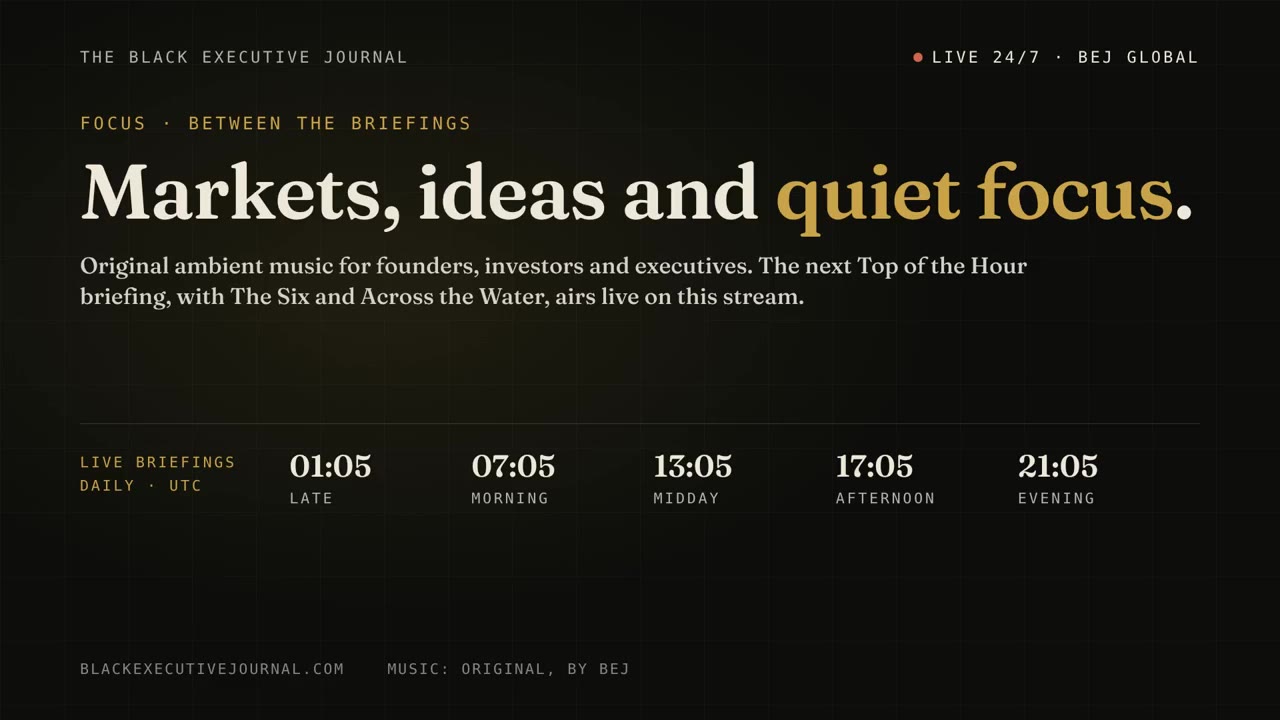
Business news and calm background programming from Black Executive Journal. New shows arrive five times a day, with original music in between. You do nothing.
- 2
Your side
Your logo and color, up to 12 rotating cards, today's hours and the time. This part is yours to fill, change and schedule.
- 3
Your welcome message
A line that scrolls along the bottom: a greeting, a reminder, the wifi name, whatever your front desk says most.
Want to see it running? Open a live example screen.
Built for the room you run
Every kind of waiting room has its own questions, its own offers and its own rules. Pick yours for example cards, who to sell a card to, and what to watch out for.
- Dental officesWaiting room screens for patients
- Medical clinicsWaiting room screens for patients
- Veterinary clinicsLobby screens for pet owners
- Chiropractic and physical therapyWaiting area screens for patients
- Eye care practicesWaiting area screens for patients
- Salons and spasReception area screens for clients
- BarbershopsShop screens for customers
- Real estate officesLobby screens for clients and walk-ins
- Auto repair shopsCustomer lounge screens for customers
- Gyms and fitness studiosLobby screens for members
- Law firmsReception area screens for clients
- Accounting, tax and insurance officesFront office screens for clients
Included at no extra cost
Sell space on your own screen. Keep every dollar.
It is your lobby and your side of the screen. Offer a card to the pharmacy next door, the caterer down the street or the realtor who sends you clients, and charge what you like. We do not charge more for it and we do not take a cut.
An example, not a promise. You set your own prices and choose who appears.
One plan. Everything included.
- Black Executive Journal programming, refreshed five times a day
- Original calm music between shows
- Up to 12 cards for offers, staff, services and events
- Your logo, color, hours and a scrolling welcome message
- Cards that start and stop on the dates you set
- Changes on your TV within seconds of pressing Save
- Sell cards to other businesses at no extra cost and keep 100%
- A dashboard that shows whether your TV is online
- No outside ads on your side of the screen
Free for 7 days with no card. Plus a one-time $99 setup when you subscribe. No contract.
Start your free 7 daysWhen the free week ends your screen turns off unless you subscribe. Everything you set up is kept.
$49 a month per screen, $99 once. See exactly what you pay and when.
Questions owners ask first
What do I need to get started?
A TV that can open a web page, and an email address. Most smart TVs have a browser built in. If yours does not, a streaming stick with a browser or a spare laptop plugged into the TV works too. We do not ship hardware.
How much does it cost?
It is free for 7 days with no card. If you keep it, it is $49 a month for each screen, plus a one-time $99 setup. There is no contract and you can cancel from your account page.
What happens when the free trial ends?
Your screen turns off and shows a short message until you subscribe. Your cards, logo and hours are saved, and subscribing turns the screen back on within about a minute.
What plays on the screen?
Two things side by side. On the left, business news and calm background programming from Black Executive Journal, refreshed five times a day with original music between shows. On the right, your own side: your logo, up to 12 rotating cards, today's hours and a scrolling welcome message.
Will other companies' ads appear on my screen?
No outside advertising is sold on your side of the screen. The only paid messages there are ones you choose to add yourself.
Can I really sell space on my own screen?
Yes. Any card can carry another business's message, with an optional Sponsored label. You set the price and they pay you directly. We do not charge more for it and we do not take a share.
How do I change what is on the screen?
Sign in from a phone or computer, edit a card, and press Save. The TV updates within a few seconds. There is nothing to install and no password to remember; you sign in with a link sent to your email.
Put it on your TV today. Decide in a week.
Your screen is free for 7 days and takes about ten minutes to set up. If it is not earning its place on the wall by then, do nothing and it turns itself off.
Start your free 7 daysNo card needed. Works on the TV you already have, as long as it can open a web page.