For eye care practices
The optical screen that sells the second pair.
Between pretesting and the exam, patients wait within sight of your frame boards. Tell them about the lines you carry, lens upgrades and the benefits they are about to lose at year end.
No card needed. Then $49 a month per screen plus a one-time $99 setup, only if you keep it.
What your waiting area TV is doing today
- Patients take their prescription and buy glasses online because nobody showed them what you carry.
- Use-it-or-lose-it benefits expire every December without a reminder.
- Lens options get explained in a rush at the dispensing table.
What it does once it is yours
More glasses bought in the building
New frame lines and package pricing are in view before the patient reaches the optical.
Benefits get used
A year-end card for vision plans and flexible spending brings patients back in.
Upgrades are pre-sold
Blue light, transitions and anti-glare make sense when the patient has already read a sentence about each.
Cards an optometry practice might run
You get 12. Each one is a label, a headline, a line of detail and an optional photo, and each can start and stop on dates you choose. Here are five to steal.
- Use it or lose it
Benefits end December 31
Vision plan allowances and flexible spending dollars do not roll over. Ask what you have left.
- Just in
New frames for fall
Try them on in the optical while you wait. Our opticians will fit them for you.
- Second pair
Half off a second pair, same day
Sunglasses, computer glasses or a backup. Ask your optician.
- Contacts
A year's supply, with a rebate
Order today and we ship to your door. Ask about daily lenses.
- Meet the doctor
Dr. Alana Reyes, OD
Family eye care, dry eye and contact lens fittings.
Clearview Eye Care is an invented example.
From sign-up to your waiting area wall in about ten minutes.
Watch the one-minute overview, then start. There is no sales call, no installer and no hardware to buy if your TV can open a web page.
Three steps, and you do them yourself
- 1
Start free
Enter your email and your business name. Your screen exists a minute later. No card.
Watch this step (41 sec) - 2
Make it yours
Add your logo, your hours and up to 12 cards. The preview shows exactly what your TV will.
Watch this step (62 sec) - 3
Open it on your TV
Type your screen's link into the TV's web browser and leave it on.
Watch this step (48 sec)
Included at no extra cost
Who an optometry practice can sell a card to
Your patients are exactly who these neighbors want to reach. Offer one of your 12 cards, set your own price, and keep all of it. We do not take a share.
- A LASIK or cataract surgeon you co-manage withYou already share patients.
- A pediatric dentist or pediatricianParents of school-age children are in both rooms.
- A hearing centerA close fit for an older patient base.
- A jeweler or boutique in your plazaPeople choosing frames are in a shopping mood.
An example, not a promise. You set your own prices and choose who appears.
One plan for every optometry practice
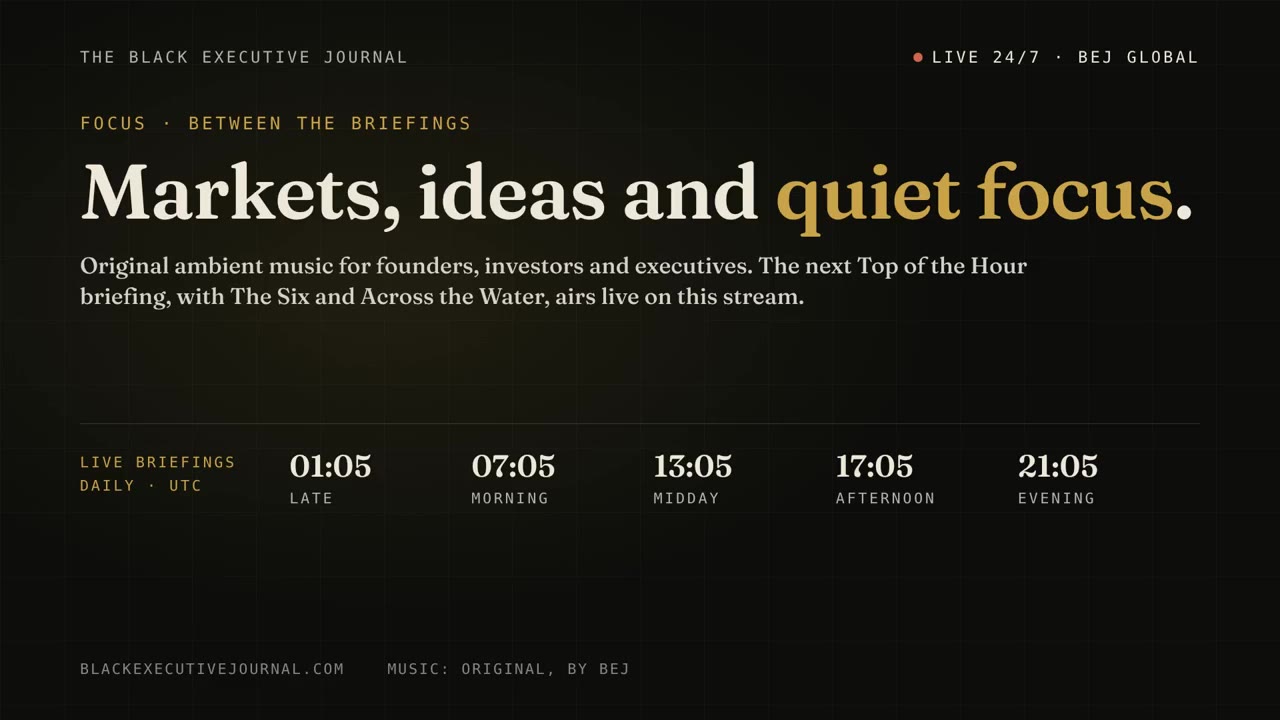
- Black Executive Journal programming, refreshed five times a day
- Original calm music between shows
- Up to 12 cards for offers, staff, services and events
- Your logo, color, hours and a scrolling welcome message
- Cards that start and stop on the dates you set
- Changes on your TV within seconds of pressing Save
- Sell cards to other businesses at no extra cost and keep 100%
- A dashboard that shows whether your TV is online
- No outside ads on your side of the screen
Free for 7 days with no card. Plus a one-time $99 setup when you subscribe. No contract.
Start your free 7 daysWhen the free week ends your screen turns off unless you subscribe. Everything you set up is kept.
Free for 7 days, then $49 a month per screen. See exactly what you pay and when.
Questions from eye care practices
Can I show frame brands I carry?
Yes. Use your own photos or ones your frame representative has cleared for you to use.
Can the optical have a different screen from the waiting area?
Yes. Each screen has its own cards, so the optical can show frames while the waiting area shows services.
How fast can I change a promotion?
Seconds. Edit the card, press Save, and the TV updates.
What happens after the free week?
Your screen turns off unless you subscribe. Everything you set up is kept, and subscribing turns it back on within a minute.
What do I need to get started?
A TV that can open a web page, and an email address. Most smart TVs have a browser built in. If yours does not, a streaming stick with a browser or a spare laptop plugged into the TV works too. We do not ship hardware.
How much does it cost?
It is free for 7 days with no card. If you keep it, it is $49 a month for each screen, plus a one-time $99 setup. There is no contract and you can cancel from your account page.
What happens when the free trial ends?
Your screen turns off and shows a short message until you subscribe. Your cards, logo and hours are saved, and subscribing turns the screen back on within about a minute.
Will other companies' ads appear on my screen?
No outside advertising is sold on your side of the screen. The only paid messages there are ones you choose to add yourself.
Not an optometry practice?
- Dental officesWaiting room screens for patients
- Medical clinicsWaiting room screens for patients
- Veterinary clinicsLobby screens for pet owners
- Chiropractic and physical therapyWaiting area screens for patients
- Salons and spasReception area screens for clients
- BarbershopsShop screens for customers
- Real estate officesLobby screens for clients and walk-ins
- Auto repair shopsCustomer lounge screens for customers
- Gyms and fitness studiosLobby screens for members
- Law firmsReception area screens for clients
- Accounting, tax and insurance officesFront office screens for clients
Waiting area TV on by this afternoon.
Start free, add a few cards, open your link on the TV. Your patients see the difference today, and you have 7 days to decide.
Start your free 7 daysNo card needed. Works on the TV you already have, as long as it can open a web page.